Construction project controls

Know the gap between what you planned and what was built.

Track Workflow puts the owner, consultant, contractor and subcontractors on one platform — with the schedule, quantities, approvals and site records linked together.

No credit card · Run one real project · Judge it on your own data
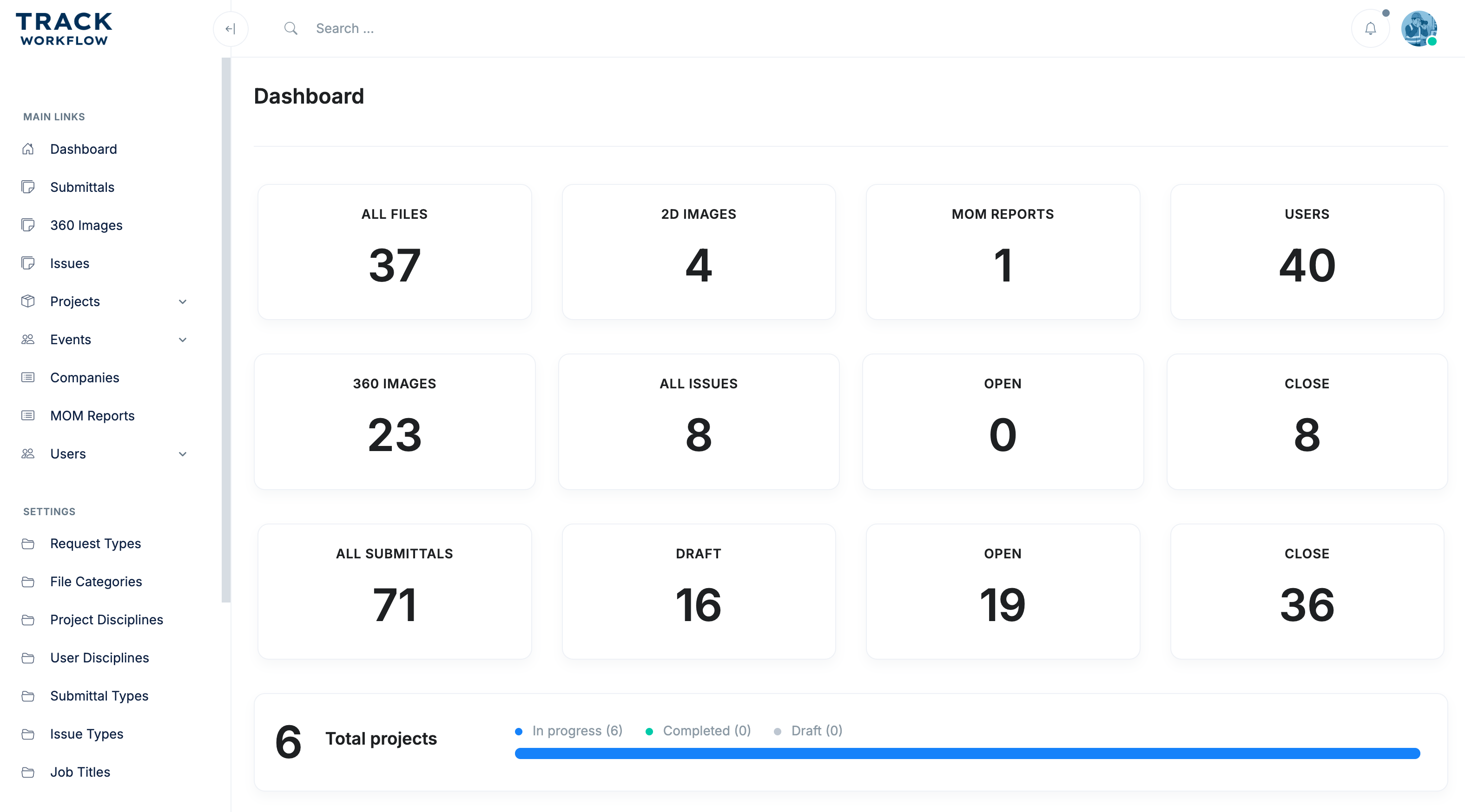
Project progress 68% ↑ On track
Dashboard · Project overview
Track Workflow construction project dashboard
Open requests 12 Need attention
  • Owner
  • Consultant
  • Main contractor
  • Subcontractors
  • Site team
What we do

One place that answers four questions.

Project information usually lives across email, WhatsApp, spreadsheets and separate systems. Track Workflow keeps it in one structure, so the answers are the same for everyone.

01 / PLAN

What was planned?

Phases, activities, quantities and dates held in one schedule.

02 / ACTUAL

What was built?

Actual progress reported from site, backed by quantities, logs and photos.

03 / VARIANCE

What is late?

Variance between plan and execution surfaced early enough to act.

04 / OWNERSHIP

Who owns it?

Requests, approvals and open items carry an owner and due date.

Capabilities

Everything the project team needs, in one platform.

From the first drawing to handover — documents, correspondence, schedule, quantities, site records and models stay connected.

DOCUMENTS

Drawings & files

Drawings, contracts and revisions organised by project and discipline.

CORRESPONDENCE

Requests & approvals

RFIs, submittals and letters with status, owner and due date.

SCHEDULE

Programme

Build the schedule, break it into phases and activities, and follow each one.

VARIANCE

Planned vs actual

Compare the plan against execution and find deviations early.

QUANTITIES

Quantities & materials

Link work to quantities and materials and compare planned with actual.

REPORTS

Daily & period reports

Daily, weekly and monthly reports ready to share with stakeholders.

SITE RECORD

Photos & 360°

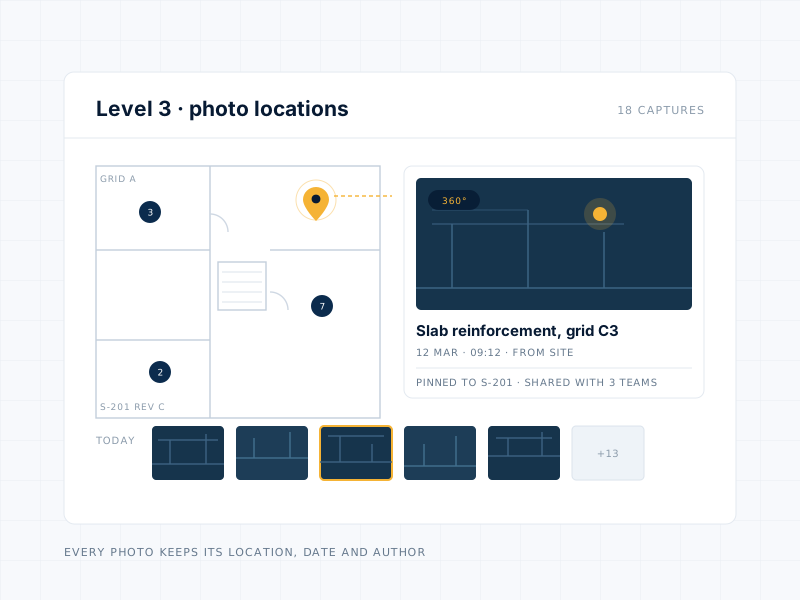
Document progress and pin photos and 360° captures to drawing locations.

MODELS

BIM viewer

Open BIM models inside the platform without another project tool.

How the numbers connect

Progress you can trace back to the work.

A percentage means little on its own. In Track Workflow, every progress figure is linked back through quantities and activities to the schedule it came from.

See it on your project →
  1. Schedule

    The agreed programme for the project, with dates and milestones.

  2. Phases & activities

    The programme broken down into the work packages people execute.

  3. Quantities & materials

    Each activity carries the quantities and materials it consumes.

  4. Planned / actual

    Reported execution set against the plan, quantity by quantity.

  5. Progress

    A completion figure with the record behind it, not an estimate.

01 / Project visibility

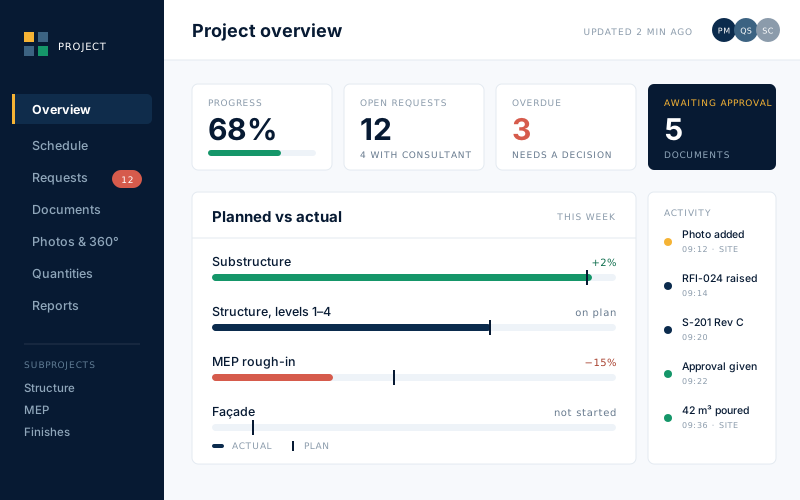
See the whole project without chasing updates.

Give management and site teams a shared view of project status, activity and progress.
  • Real-time project visibility
  • Track work across teams
  • Monitor progress from one dashboard
  • Make decisions from current information
Project dashboard showing progress, open requests, overdue items and planned versus actual progress per package
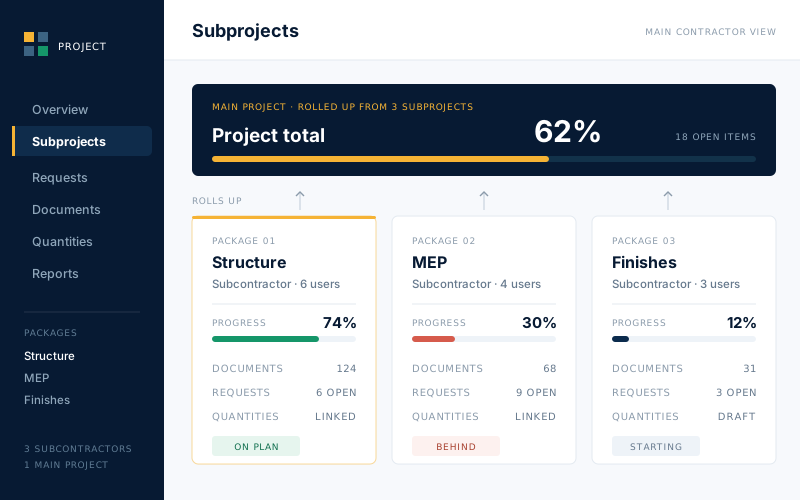
A main project with three subcontractor packages as subprojects, each with its own progress, documents and requests, rolling up to a project total
02 / Main project & subprojects

Bring your subcontractors into the same project.

Add subcontractors to the main project and give each one a scope of work as its own subproject.

  • Separate scopes per subcontractor
  • Progress, documents and correspondence per package
  • One consolidated project view
  • Subproject figures can roll up to project level
Features

More control and greater overview

Gain full visibility across your projects with centralized data, real-time updates, and structured workflows that help you stay in control at every stage of execution.
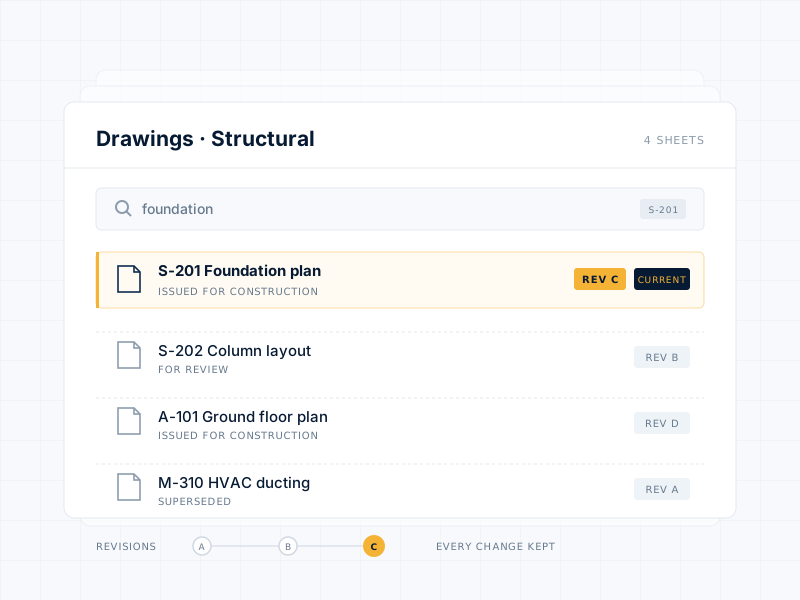
File Management Made Simple

Centralize all project documents in one secure place.

  • Access the latest version instantly
  • Reduce errors from outdated files
  • Find what you need with smart search
Document register showing each drawing with its revision, the current revision marked

Capture & Share Site Images

Keep everyone aligned with real-time visuals.

  • Upload and tag photos directly from the field
  • Track site conditions and progress clearly
  • Maintain a visual record of every stage
  • Improve decision-making with real-time visuals
Floor plan with photo locations pinned on it, one pin opened to show a dated site photo and a 360 degree capture

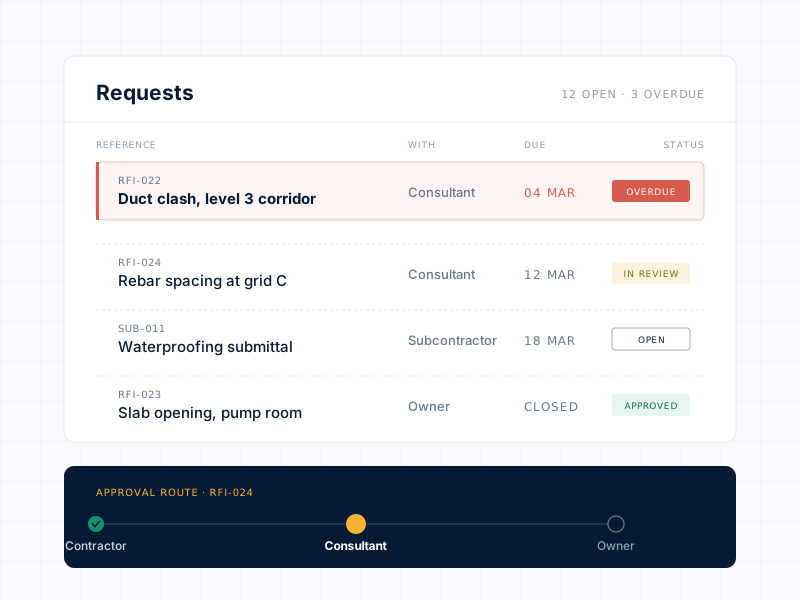
Track & Manage Requests

Forget lost emails or missing approvals.

  • Submit RFIs, change orders, and approvals in one place
  • Track status and audit history easily
  • Get automatic notifications for updates
  • Ensure accountability with a full audit trail
Request register showing RFIs and submittals with status, owner and due date, and the approval route

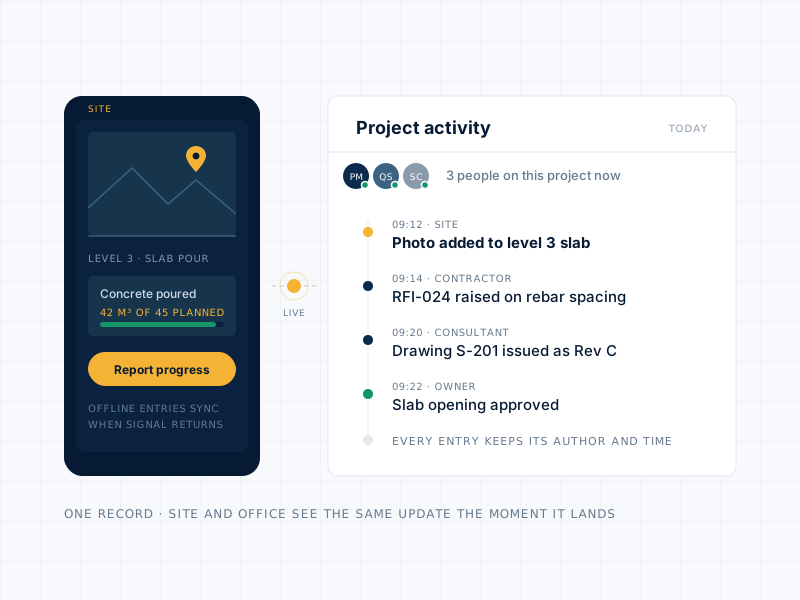
Real-Time Collaboration

Keep your team connected wherever they are.

  • Share files and updates instantly
  • Work in sync between site and office
  • Reduce response delays and miscommunication
  • Monitor all activity in one clear dashboard
  • Know who approved what — and when
  • Track progress with documented updates
Site and office working from the same live project record, with a timestamped activity feed
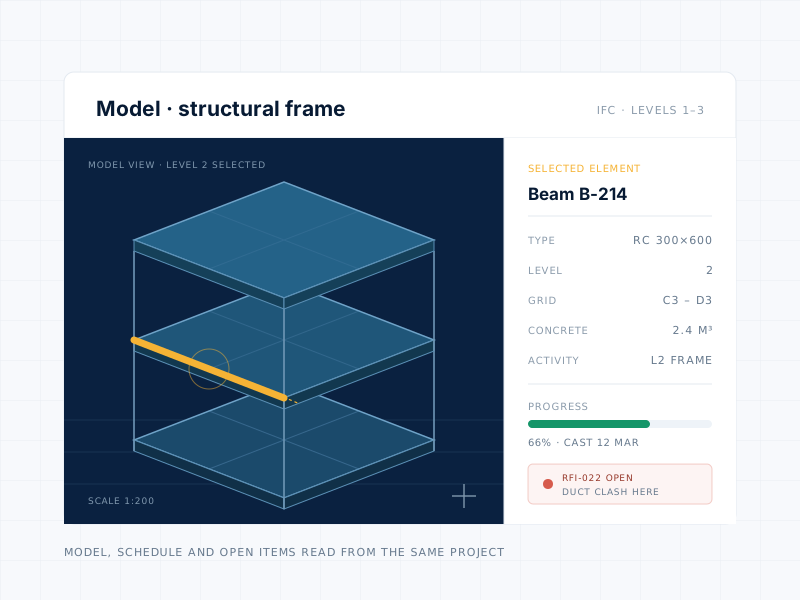
BIM model of a three level structural frame with one beam selected and its properties, progress and open item listed

BIM, Built Into Your Workflow

View and coordinate BIM models in Track Workflo.

  • Integrated Access – BIM models right in the platform.
  • On-Site Answers – Resolve design questions instantly.
  • Compare Models & Reality – Spot discrepancies fast.
  • Quick Updates – Always work with the latest data.
  • Team Coordination – Keep everyone aligned and informed.
Projects

Project Portfolio

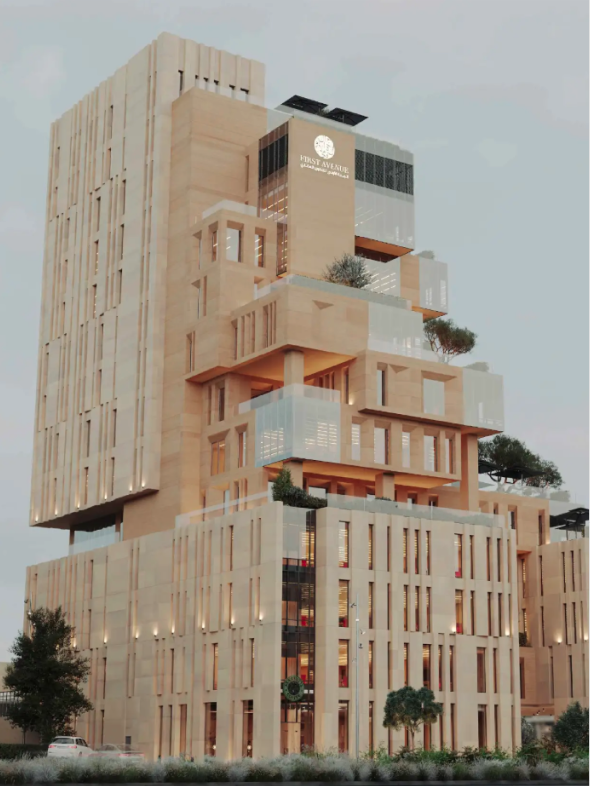
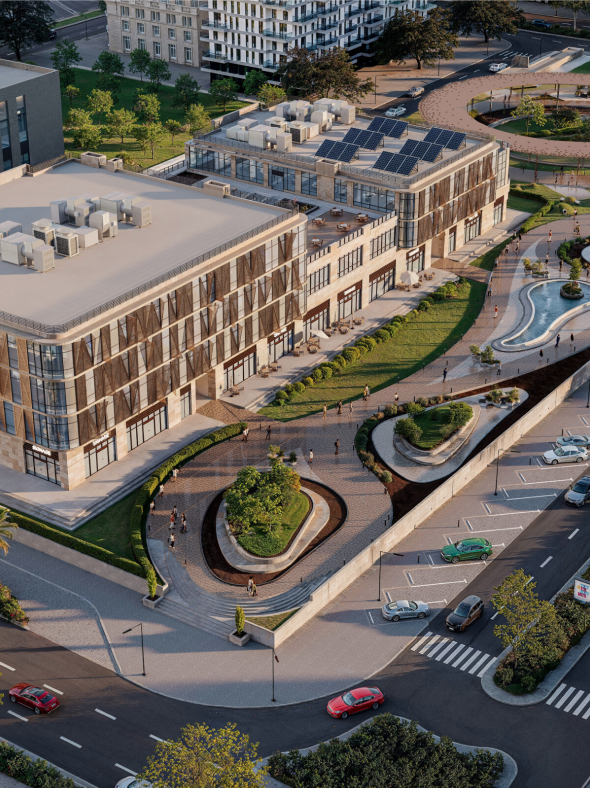
A selection of projects managed through Track Workflow.

From project teams

Trusted across every seat on the project.

★★★★★
Reviewing and approving documents takes minutes now. It saves hours of back-and-forth every week.
Sara T. Consultant
★★★★★
Track Workflow changed how we run projects. Everything is faster and far better organised.
Ahmad R. Site manager, contractor
★★★★★
I can follow progress without chasing anyone for updates. The visibility is the difference.
Khalid M. Project owner
★★★★★
Drawings, photos and approvals finally sit in one place. It is efficient and easy to use.
Layla N. Project engineer
Start with one real project

Try Track Workflow on your own data.

Set up a real project, invite your team and subcontractors, and see the planned-versus-actual picture on work you already know.

Start free trial Book a 60-minute demo
60
days, free

Full platform, no credit card, no commitment. Bring one live project and judge Track Workflow on your own data.